Justin Hammer: I need to fit a person in that suit. You understand?
Ivan: Trust me. Drone better.
Justin Hammer: What? Drone better? Why is drone better?
Ivan: People make problem.
What’s New
Construction Drones
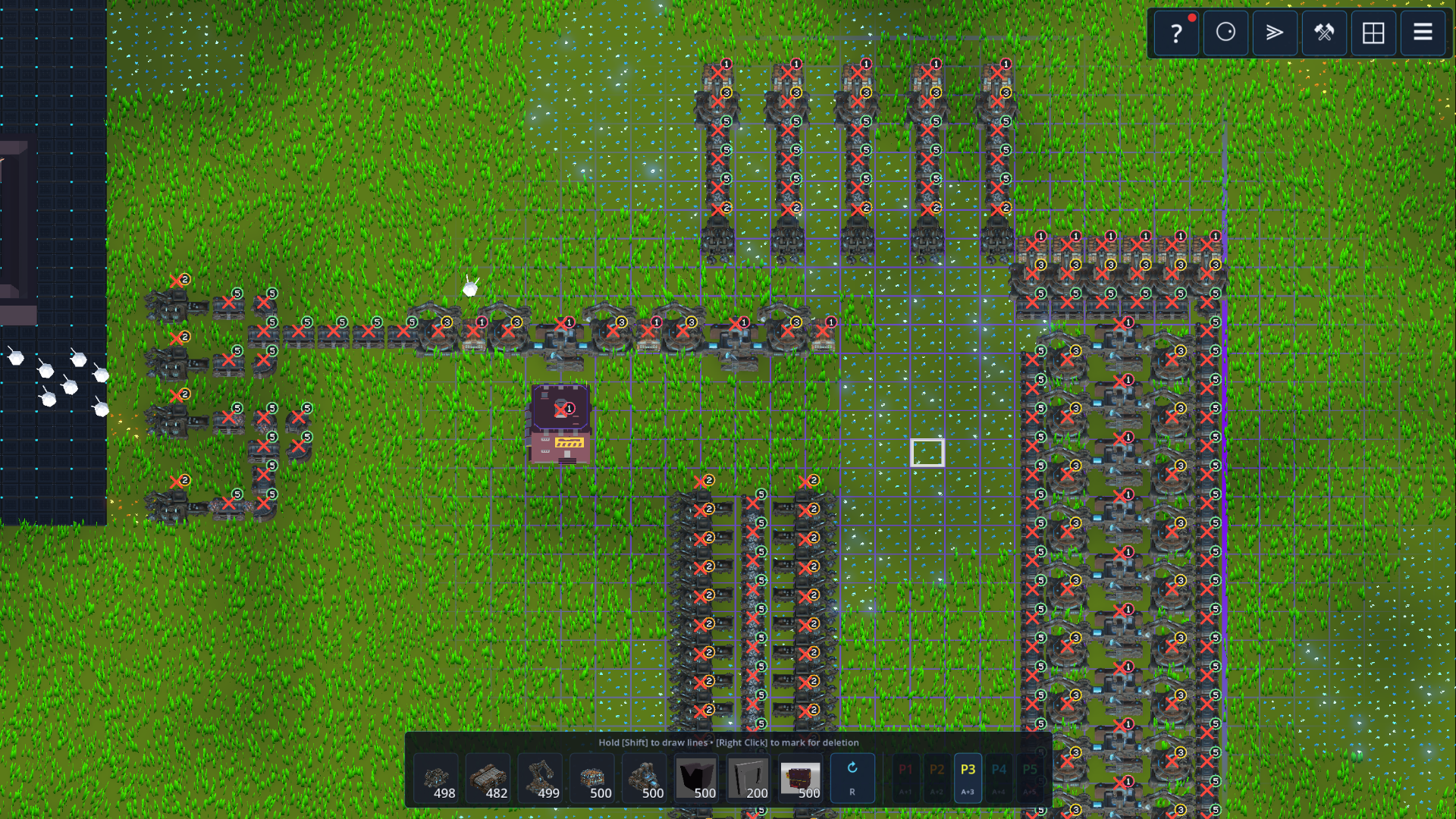
Construction Drones completely change how bases are built in Nomad. Now, you place blueprint ghosts, and the Drone MK1 deploy from the new Drone Bay building. They physically pick up the required items from Mothership storage and carry the item over to construct the blueprint building.
The Emergency Drone
To solve the cold start problem of how to build your first Drone Bay without any drones, I added an indestructible Emergency Drone housed directly within the Mothership that will always be there and work for you. You can identify it by the glowing orange material it has.
Why & How it was built:
Transitioning from the instant building we had before to drone based construction is a big step toward our core game loop.
Improved Building System
- Removed the prototype instant placement and deletion logic
- Buildings can now be marked for deletion and will be handled by drones
- Blueprint jobs will also be handled by drones
- Prioritization System in place
Why & How it was built:
Implementing this whole system was part of the big plan of introducing construction drones.
With the introduction of drones, we finally stripped out the legacy function to place and delete buildings instantily. Everything is now done by the construction drone system. To keep this from feeling slow, I introduced a Prioritization System. The priority system is an important feature on top of the construction drones that enables the player to take partial control in the drone simulation logic. While not being able to control drones manually, the player can still steer the drones to the most urgent construction jobs.
Inserter Filters
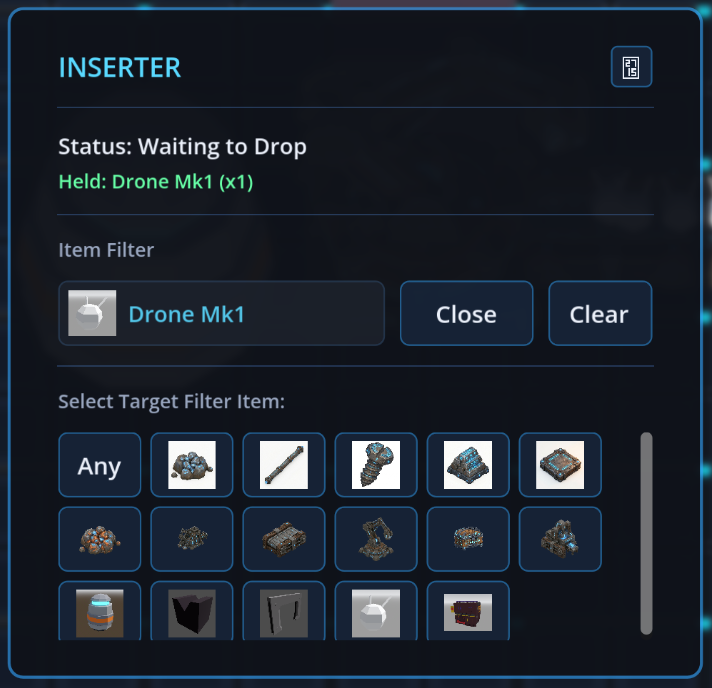
You can now configure Inserters to pull a specific item type from a belt or storage container. See the new UI to set the filter. If you leave the filter blank, it falls back to its default behavior: grabbing the first available item from its source.
Why & How it was built:
This was a much needed addition following the introduction of the Mothership’s infinite core storage in Nomad 0.4.0. Previously, there was no way to precisely extract specific items back out of it.
Architecturally, the inserter still operates as a highly optimized 4-state byte machine (Wait for Pickup, Swing to Drop, Wait to Drop, Swing to Pickup). We expanded its struct data to include a FilterItemId. During State 0 (Wait for Pickup), the inserter now performs an O(1) check against this filter ID before executing the grab function. This precise, data-oriented check ensures that filtering adds zero noticeable overhead to our logistics simulation.
New Button UI + Click Sounds
Introduced a comprehensive UI theme refactoring, starting with standardized buttons across all menus. They now feature a unified style, complete with hover and click sound effects.
Turn on the volume for this clip:
Why & How it was built:
I added this to further unify the User Interface and ground the style in the synthwave style of the rest of the game. Under the hood, instead of manually configuring raw Godot nodes in every scene, I’ve standardized the UI using a global theme and a common button prefab. This not only ensures the style better but hopefully makes future UI work much faster.
What’s Next
Next up, we are targeting a full Pause/Resume system. I took some inspiration from games like Dwarf Fortress, They Are Billions, and Age of Darkness here and I like that you can take your time and setup your base even in stressful situations.
Along with that the building system has to be further refined with a copy/paste blueprint system.