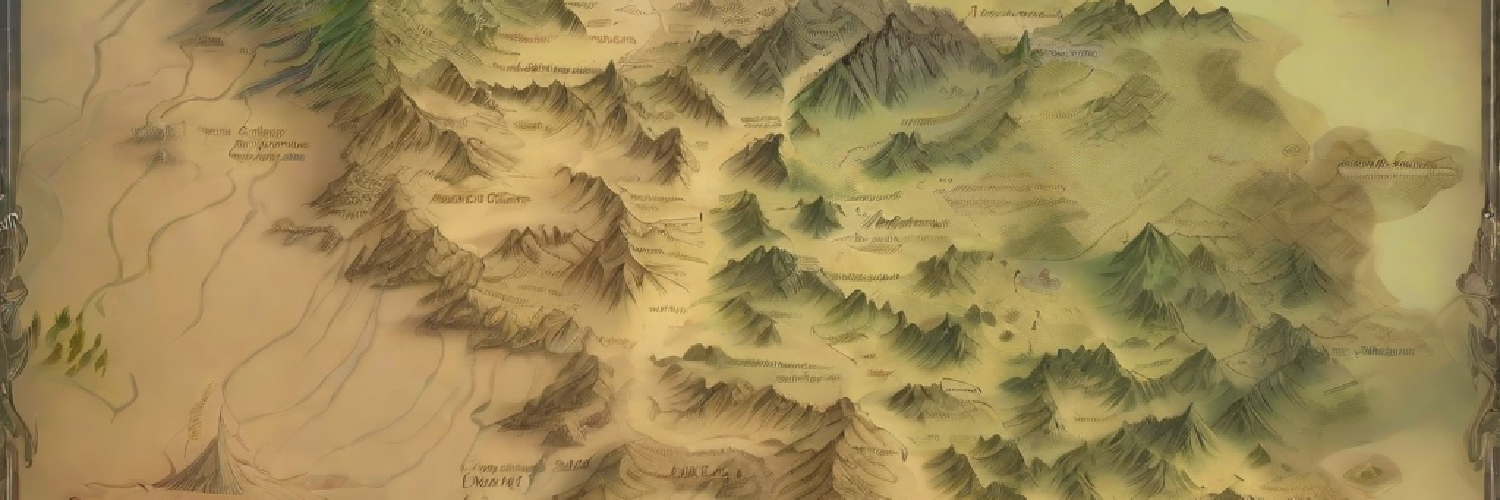
Creating the perfect map for a fantasy world can be a tricky, especially when it’s based on predefined datasets. That’s where the Fantasy World Map Generator comes into play.
A Piece of a Bigger Puzzle
Before we delve into the details, let me mention that the Fantasy World Map Generator is just a small part of a larger project called Odyssey. Odyssey is my ongoing endeavor to create a living procedurally generated world, backed by an open REST-API. If you’re interested, you can check out more about Odyssey here.
Technical Details
Perturbation
One of the challenges in creating a fantasy world map is achieving the right balance between structure and randomness. In the world of Odyssey, regions are grid-based, starting at coordinates (0, 0) and spiraling outward. Here is a sample of 100 Odyssey region objects that I use as input data for this project. To add a touch of unpredictability, I decided to perturbate these coordinates based on noise values and proximity to neighboring regions. This approach transforms a seemingly structured world into one that looks and feels much more natural.
Perturbation is a technique commonly used in data visualization to introduce a controlled level of randomness to data points’ positions. By perturbing coordinates, you can create visualizations that appear more natural and less mechanical. The core idea is to add random variations to data points while considering their proximity to neighboring points. The approach I used:
- Identifies neighboring points within a specified range.
- Uses noise as a seed for randomness.
- Accumulates perturbations based on proximity to neighbors.
- Applies the perturbations and scaling to the coordinates.
Voronoi Diagrams and Fortune’s Algorithm
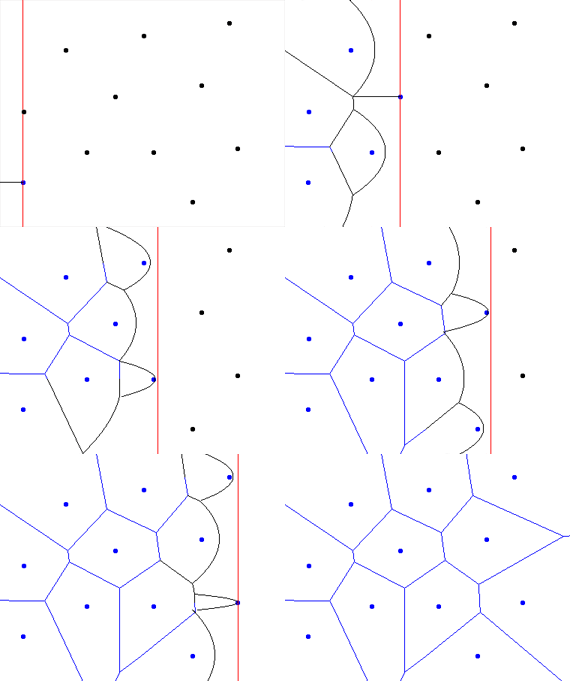
To give the world map a even more organic feel, I employed Fortune’s Algorithm, a well-known technique in computational geometry. This algorithm helps create Voronoi diagrams, which, in simple terms, define the borders of different regions on the map. It adds character to the map, making each regions shape unique.
Simulating Rivers
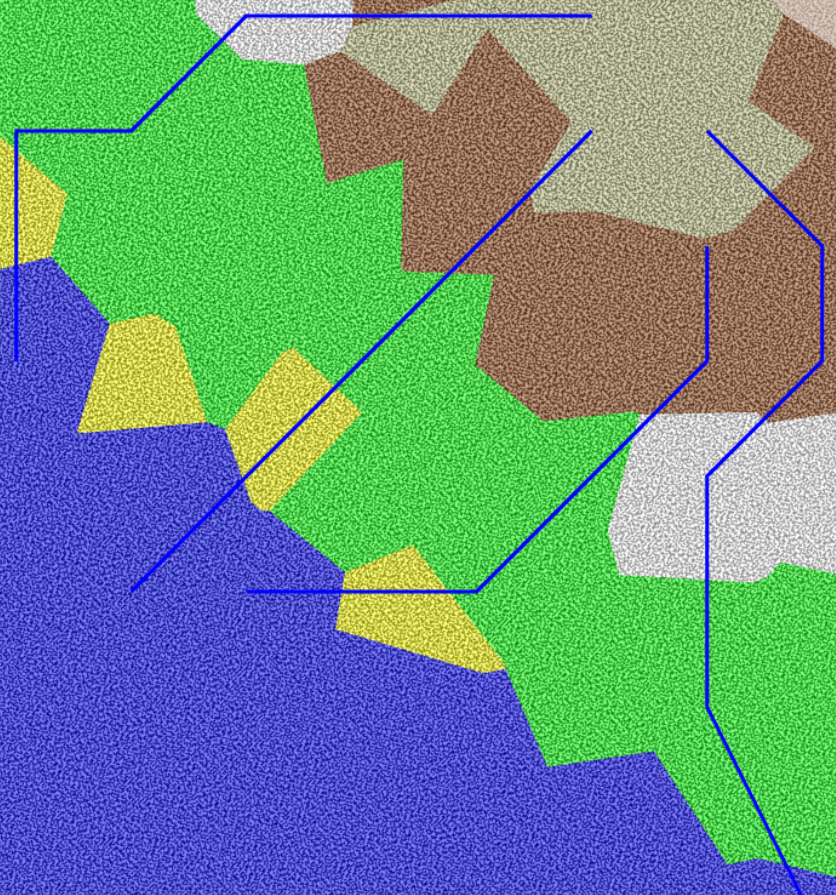
Rivers are essential for any fantasy map. To generate them, I used a relatively simple approach: simulating water flow based on elevation (noise values). Rivers naturally find the lowest path through the terrain. It’s not a perfect simulation, but it adds a lot of realism.
// Function to find downhill path for a river
const findDownhillPath = (startIdx: number, points: any[], voronoi: any) => {
    const visited = new Set<number>();
    let currentIdx = startIdx;
    const riverPath: number[][] = [];

    while (true) {
        visited.add(currentIdx);
        let neighbors = voronoi.neighbors(currentIdx);
        let nextIdx: number | null = null;
        let minNoise = points[currentIdx].noise;

        for (const neighbor of neighbors) {
            if (visited.has(neighbor)) continue;
            if (points[neighbor].noise < minNoise) {
                minNoise = points[neighbor].noise;
                nextIdx = neighbor;
            }
        }

        if (nextIdx !== null && points[nextIdx].type === 'water') {
            riverPath.push([points[nextIdx].x, points[nextIdx].y]);  // Include the water cell
            break;
        }

        if (nextIdx === null) break;

        riverPath.push([points[currentIdx].x, points[currentIdx].y]);
        currentIdx = nextIdx;
    }

    return riverPath;
};
Here’s a simplified breakdown of the function’s core logic:
- Initialization: The function is called for every “mountainpeak” biome type we find while creating the map. We start by creating an empty set called visited to keep track of the cells we’ve already visited. We also set the currentIdx to the starting point and create an empty array called riverPath to store the coordinates of the river’s path.
- Main Loop: The function enters a loop that continues until specific conditions are met.
- River Path: If the chosen cell is a “water” type cell, we include its coordinates in the riverPath array to represent a point along the river’s path.
- Completion: If we can’t find a suitable neighbor, the loop stops, indicating the end of the river’s path.
Adding Texture to Biomes
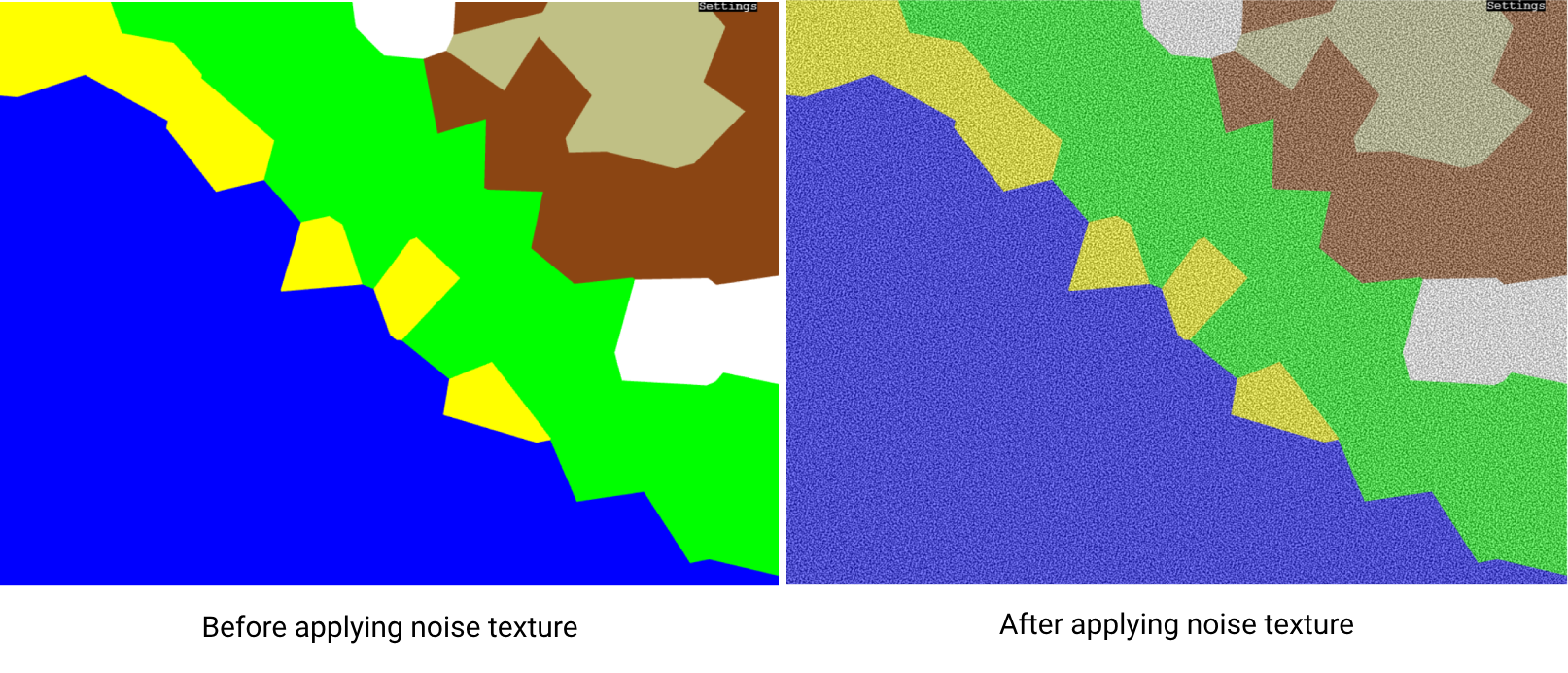
Finally, I added a custom noise texture to make the biomes look less flat. Each biome starts with a base color—like yellow for sand or white for snow—and the noise texture adds subtle variations to give it some character.
const createNoiseTexture = (width: number, height: number, noiseScale: number, alpha: number, intensity: number) => {
    const simplex = createNoise2D(alea(''));

    const canvas = document.createElement('canvas');
    canvas.width = width;
    canvas.height = height;
    const ctx = canvas.getContext('2d')!;
    const imgData = ctx.createImageData(width, height);

    for (let y = 0; y < height; y++) {
    for (let x = 0; x < width; x++) {
        const noiseValue = (simplex(x * noiseScale, y * noiseScale) + 1) * 0.5;
        const adjustedNoiseValue = noiseValue * intensity;  // Adjust intensity here
        const idx = (y * width + x) * 4;
        imgData.data[idx] = imgData.data[idx + 1] = imgData.data[idx + 2] = adjustedNoiseValue * 255;
        imgData.data[idx + 3] = alpha * 255;
    }
    }

    ctx.putImageData(imgData, 0, 0);
    return canvas;
};
Try it out
If you want to try it yourself, the Fantasy World Map Generator is live. It’s a fun tool for storytellers or anyone who just likes mapping out imaginary worlds.